Publish to channels - deliver digital employees where work happens
Enterprise adoption depends on access. A digital employee must be available in the channels your customers and employees already use-web, mobile, messaging, and enterprise collaboration tools. Workforce Hub enables omnichannel delivery with enterprise control and human handoff.
Why channels matter for enterprise AI
An AI agent that lives only in a demo chat box won't get adopted. Enterprise digital employees must operate where work already happens.
Meet users where they work
Deploy in web, Teams, Viber, mobile-wherever your users already communicate
Support secure authentication and identity
SSO-ready, role-based access, tenant isolation across all channels
Provide consistent experiences
Build once, publish everywhere-same skills, tools, and governance layer
Support escalation to human teams
Seamless handoff to backoffice operators and contact center integrations
Integrate into operational workflows
Audit logs, reporting, and analytics across all channels and interactions
Workforce Hub is built to publish agents across channels without sacrificing governance.
Deploy where work happens
Workforce Hub supports deployment across the channels that matter most to enterprise operations and customer engagement.
Web Chat App
Full-page, widget, or popup experiences with rich UI rendering
Best for: Customer portals, self-service, internal tools
Microsoft Teams
Internal operations, IT helpdesk, approvals, and escalation
Best for: Employee support, onboarding, internal workflows
Viber & Messaging
Customer-facing engagement, transactions, and status checks
Best for: Customer servicing, concierge, notifications
Mobile Apps
Embedded chat UI or API-based integration via Query API
Best for: Customer mobile journeys, employee apps
Query API (Custom Apps)
Build custom frontends powered by Workforce Hub agents
Best for: Product integrations, portals, custom UX
Backoffice (Human Handoff)
Operator console for takeover, approvals, and exceptions
Best for: Supervision, escalation, contact center integration
Web experience: beyond text-only chat
Workforce Hub includes a web chat application designed for enterprise use. It supports modern, rich responses-code, charts, cards, citations-not just plain text.
Capabilities
Formats supported: Full-page chat experience, embedded widget, popup assistant
Security: SSO-ready authentication, role-based access
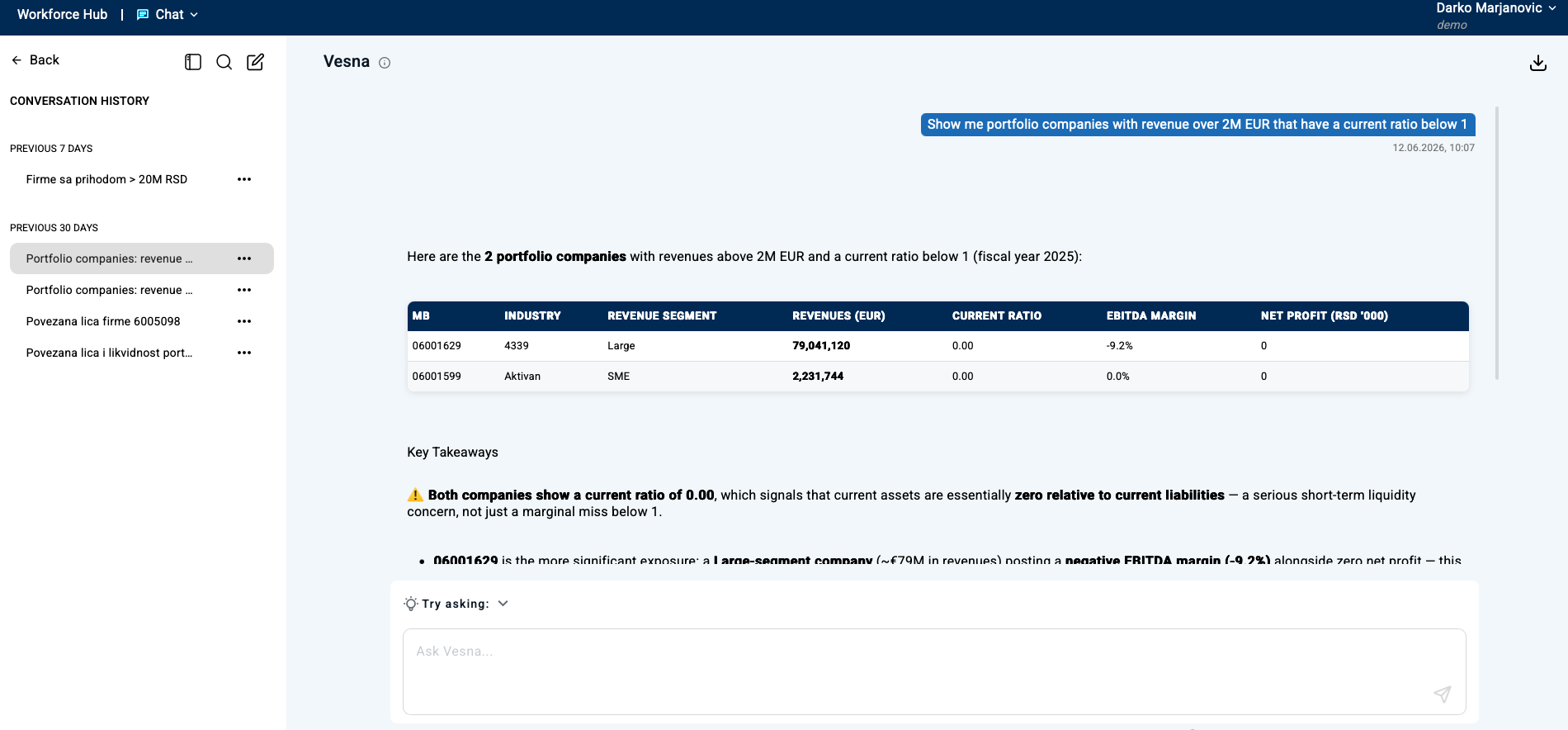
Query API Architecture Diagram
Custom App → Query API → Agent
Query API: build custom apps on top of Workforce Hub
Some enterprises want to deliver digital employees inside custom portals, apps, or products. Query API enables you to build your own frontends while using Workforce Hub agents, governance, and audit logs.
Human handoff: when a person must take over
Enterprise automation must support human supervision and escalation. Workforce Hub includes a backoffice app and SDK that enables operator takeover without losing context.
Contact center integrations
Workforce Hub supports integration with contact center solutions for escalation to live agents, transcript transfer, ticket creation, and routing.
Backoffice Operator Console
Screenshot: operator takeover UI
Publish once, scale everywhere
Workforce Hub allows you to build an agent once and publish it across channels. Your teams keep one set of skills, tools, governance, and audit logs.
One set of skills
Build capabilities once, deploy everywhere
One set of tools
Unified integrations and API access
One governance layer
Consistent policies and audit logs
All channels
Web, Teams, Viber, mobile, API
Start multichannel in weeks
A typical path to multichannel deployment with Workforce Hub.
Prototype in one channel
Start with web or Teams, build initial skills, validate use case
Connect integrations and pilot
Add tools and knowledge sources, run controlled pilot with real users
Extend to additional channels
Publish to mobile, Viber, or custom apps; optimize based on feedback
Ready to deploy your digital employees across channels?
Start with one channel and expand to omnichannel delivery in weeks. Workforce Hub handles web, Teams, Viber, mobile, APIs, and human handoff-with consistent governance.
Frequently asked questions
Which channels does Workforce Hub support?
Web (full-page chat, widget, popup), mobile, Microsoft Teams, Viber, APIs (Query API), and backoffice for human handoff.
Can we build our own UI on top of Workforce Hub?
Yes. Query API enables custom applications powered by Workforce Hub agents while keeping governance, audit logs, and policies centralized.
How do you handle human handoff?
Workforce Hub supports backoffice takeover with context transfer, approvals, escalation, and audit trails. It can also integrate with contact center solutions.
Can we deploy channel integrations on-prem?
Yes. Workforce Hub supports cloud, private cloud, and on-prem deployments depending on enterprise requirements.