AI agents deliver real value when they can execute processes, integrate with systems, and operate under control. Workforce Hub combines AI agents and workflow automation so teams can move from "AI chat" to enterprise-grade execution.
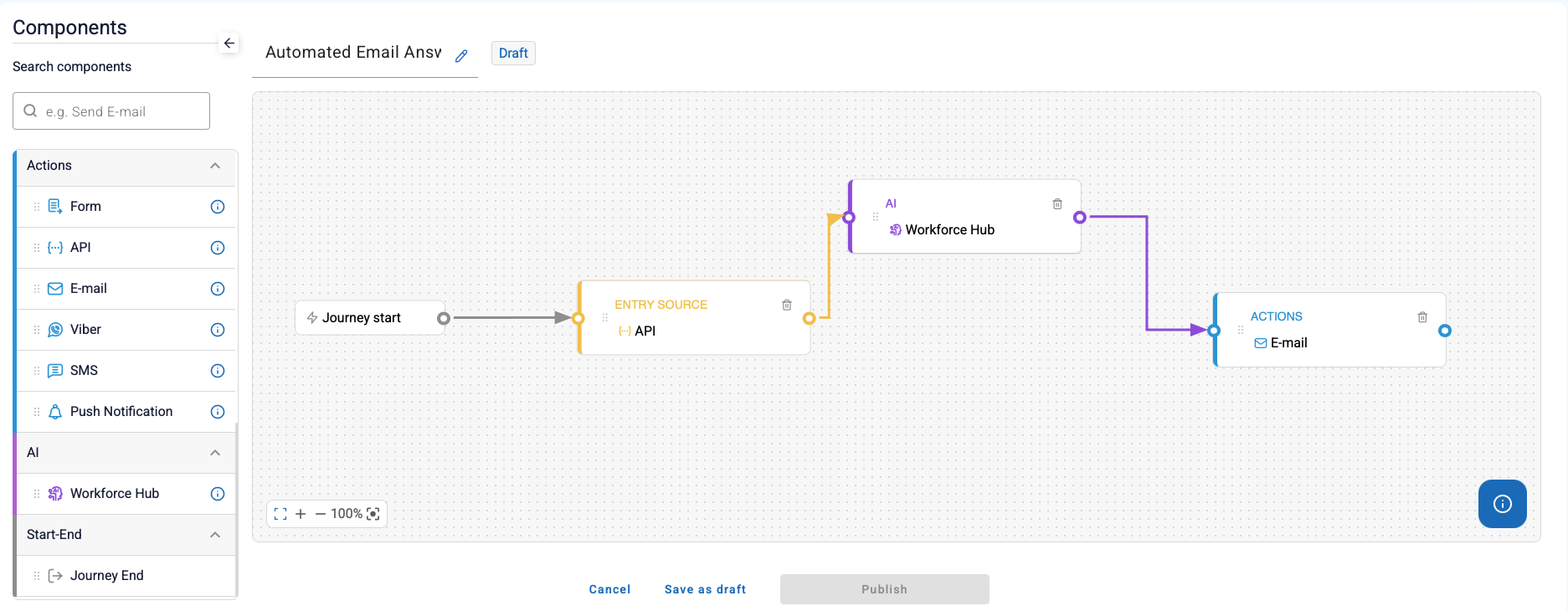
With Automation Studio, you can design workflows visually with drag-and-drop building blocks or use BPMN to orchestrate digital employees across channels and systems.
In regulated environments, automation must be predictable, auditable, and aligned to business processes. Workflow orchestration ensures AI actions happen:
Actions happen in the right order
Clear approvals and human oversight
Traceability and audit logs for compliance
Defined escalation paths for exceptions
This is how enterprises deploy digital employees at scale.
Automation Studio lets teams design agent-powered workflows using a visual builder. It is built for enterprise operations: structured execution, integrations, and governance controls.
What it enables:
Many enterprise workflows require supervision, approvals, and escalation rules. Workforce Hub supports human-in-the-loop patterns as part of workflow automation:
Compliance / risk
To human operator
Sensitive actions
Audit and verify
Automation Studio and BPMN orchestration enable digital employees to operate consistently across channels:
Lower operational workload
Reduce errors
Better customer experience
Approvals and auditability
Workforce automation is best introduced through a structured rollout:
Discovery + prototype workflow
Integrations + controlled pilot
Rollout + optimization
Both. Workforce Hub supports visual workflow blocks for rapid low-code automation and BPMN-based orchestration in Enterprise Edition.
Yes. Enterprise deployments can reuse existing BPMN models through ASEE Flow (Camunda-compatible workflow engine).
Workflows provide structured execution with approvals, human-in-the-loop steps, and audit logs-critical for regulated processes.
Yes. Workflows can be deployed across web, mobile, Viber, Teams, and API-driven channels.
Launch pilots in weeks, not months. Move from AI chat to enterprise-grade execution with governance and control.
Request Architecture Review →